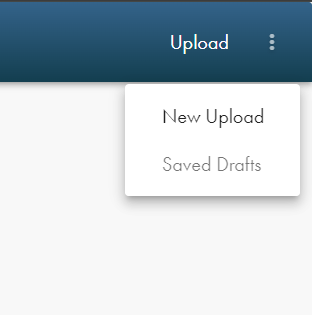
You can access either the uploader or your saved drafts by selecting "Upload" on your profile after you have logged into your My Score account. When accessing your profile, navigate to the top right hand corner where it says "Upload." Once clicked, a dropdown menu will appear that shows either "New Upload" where you can begin an upload of a new title or "Saved Drafts" where you can find your drafts to edit or delete them. This is pictured below.
Once you've gotten to the uploader, be sure to reference our Uploading Sheet Music (Step-by-Step Guide) before and while you are uploading to help with understanding each step.
Was this article helpful?
That’s Great!
Thank you for your feedback
Sorry! We couldn't be helpful
Thank you for your feedback
Feedback sent
We appreciate your effort and will try to fix the article