1. Creating an Account
To create an account to sell your music, please visit https://www.jwpepper.com/myscore to register. Be sure to use either of the golden "Login" or "Sign Up" buttons at the top of the page to begin the registration process. The "Login" will also be the key to logging in to access your My Score profile when you finish the registration process.
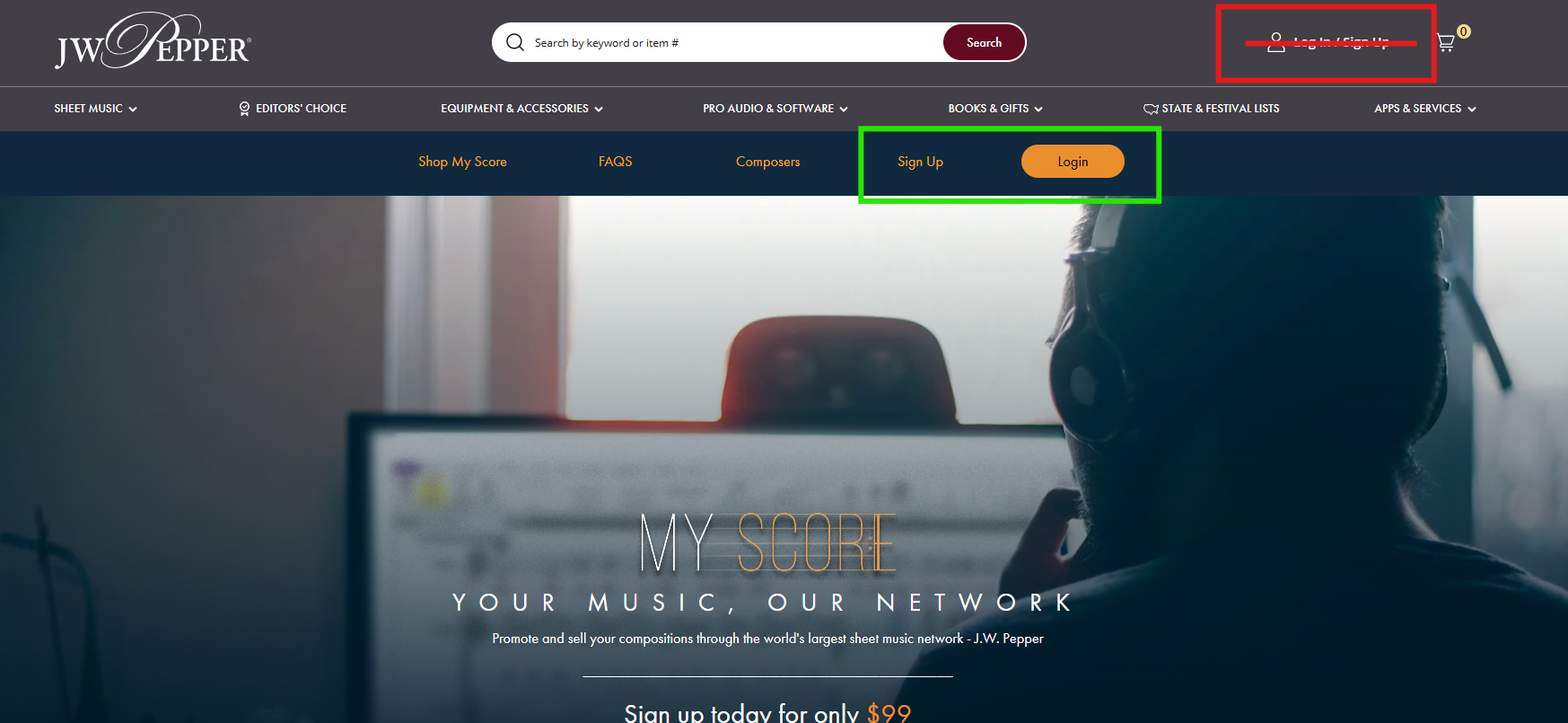
Please note: Using the "Log In / Sign Up" button in the top right hand corner of the web page will keep you on the general J.W. Pepper website which is why the golden My Score buttons are important.
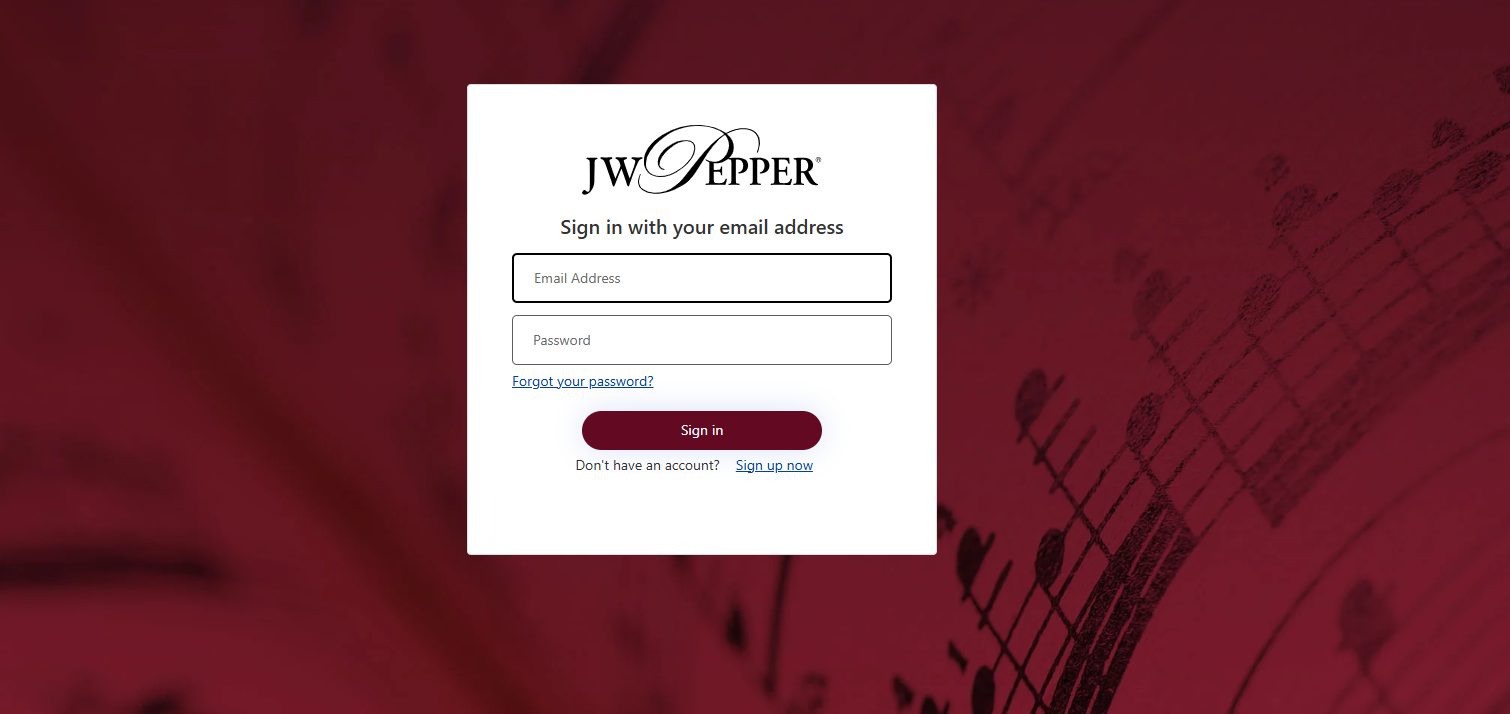
Next, you will be asked to sign into your general J.W. Pepper account. If you do not have a Pepper account already, click the "Sign Up Now" button below the login credential fields.
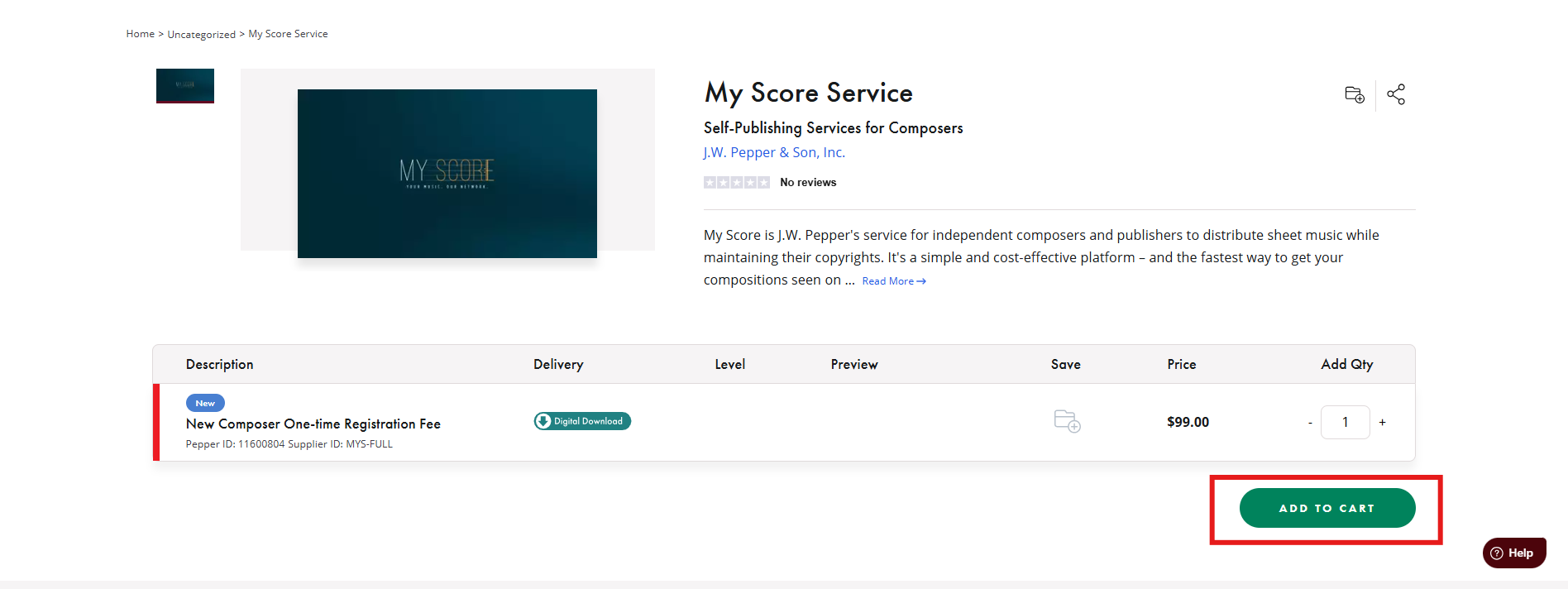
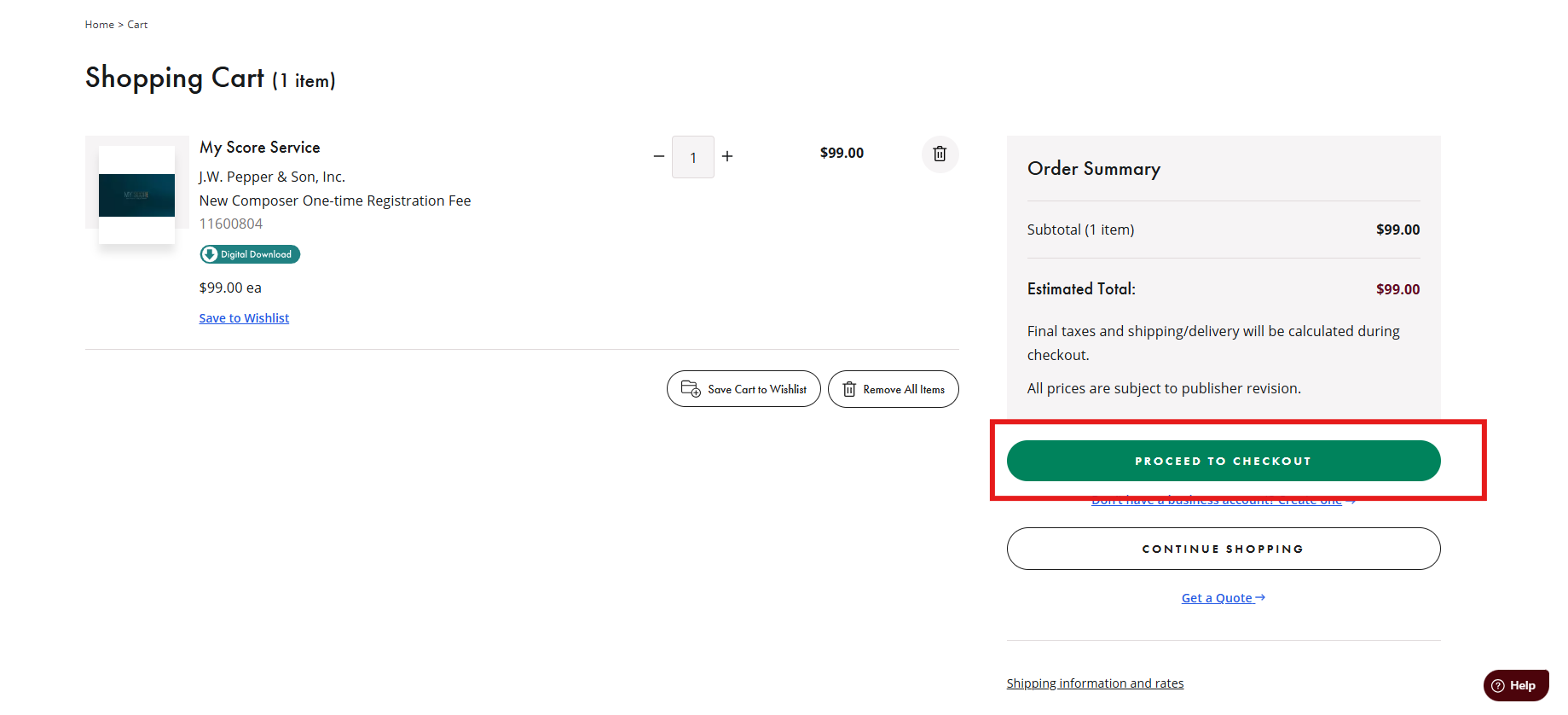
Then, you will be prompted to pay the $99 registration fee. Add 1 of the My Score "New Composer One-time Registration Fee" items to your cart and complete the checkout process (you may need to log in again to fully complete checkout). Immediately following this step, your My Score account record will be created.
2. Completing the Registration Form
Once you complete the payment, it will keep you on the J.W. Pepper website where you are logged in with your customer account. To access the My Score registration form, you will need to return to
https://www.jwpepper.com/myscore and use the golden "Login" button again to sign in one final time.
After logging in, you will want to complete the following form in step 1 of the registration process :
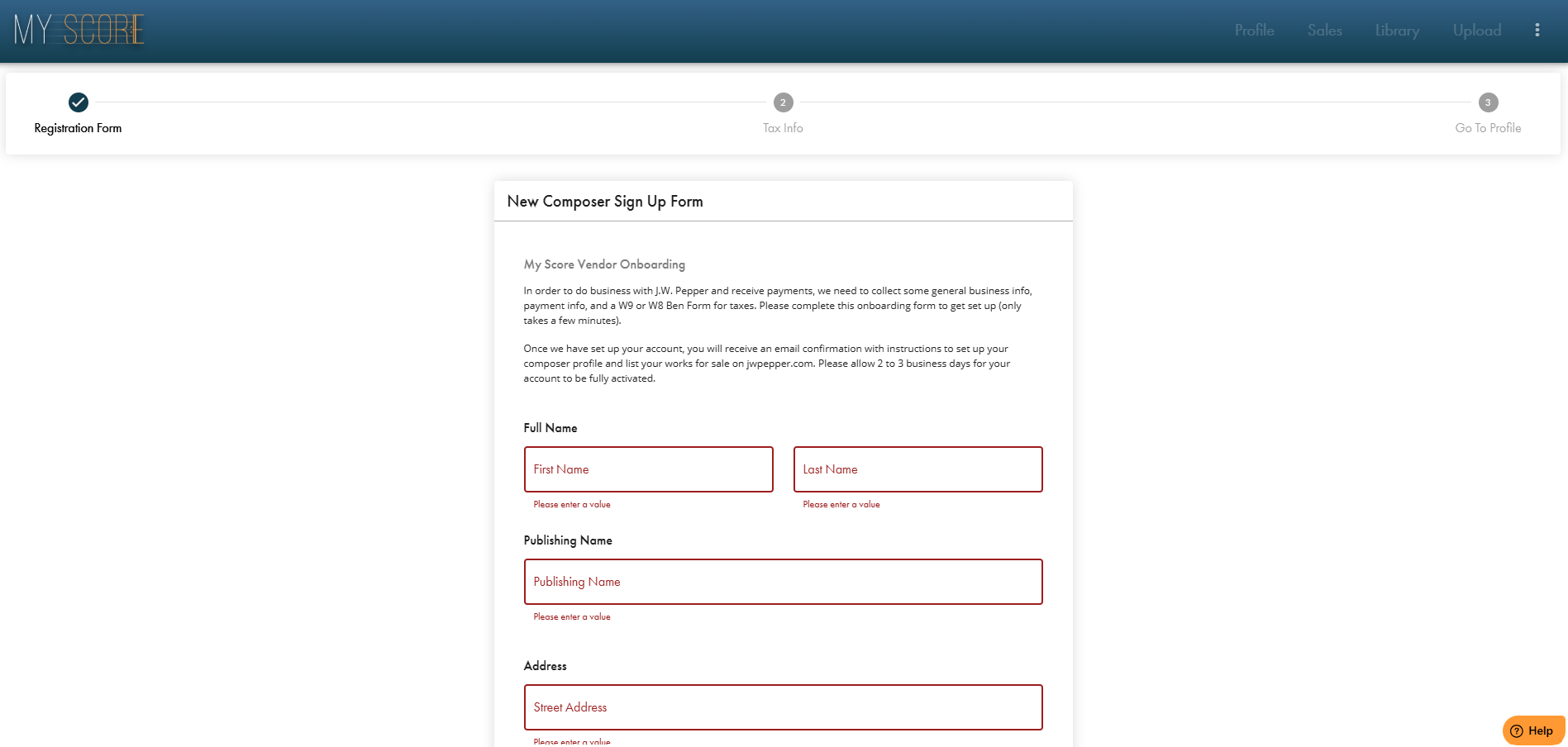
This is a general information form that collects information about you as a composer/publisher. The following form in step 2 will automatically fill in a W-9 for tax purposes for any future royalty payments:
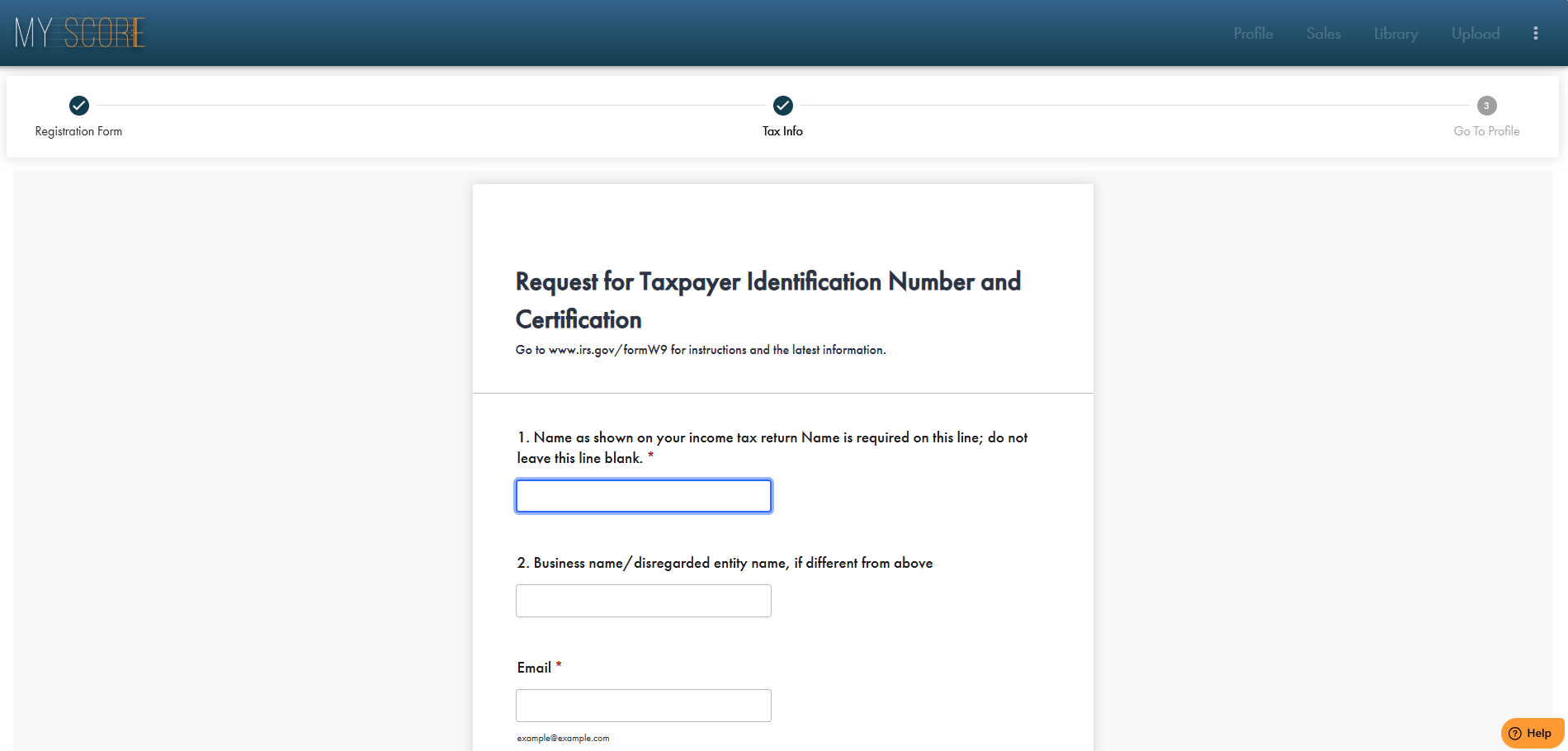
3. Enjoy the My Score Experience!
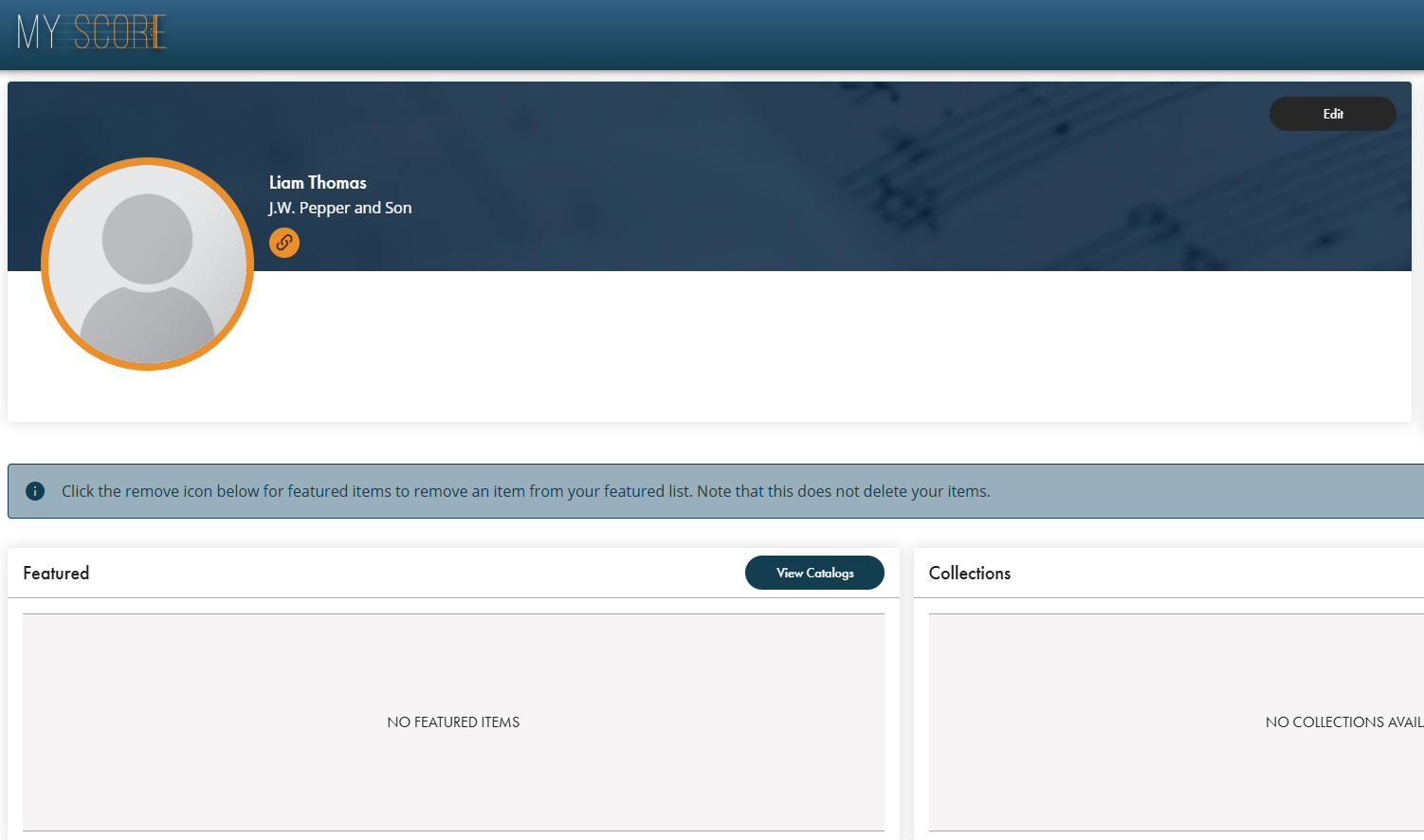
After completing the registration forms, you are ready to access your profile! Here, you can start filling in your profile information like a biography, headshot, social media links, etc. and also begin uploading your music.
Happy publishing!
Was this article helpful?
That’s Great!
Thank you for your feedback
Sorry! We couldn't be helpful
Thank you for your feedback
Feedback sent
We appreciate your effort and will try to fix the article