To offer an additional print score option for an existing composition, please submit an edit request asking our team to create an additional print score line on the current listing.
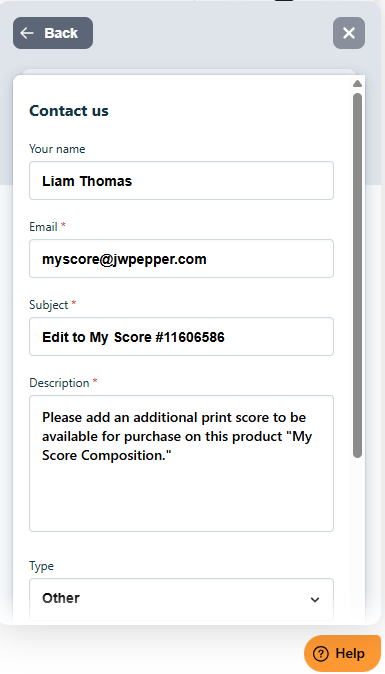
When submitting your request, include:
- The title and J.W. Pepper product number of the existing listing
- A clear note that you’re requesting an additional print score line
- Any distinguishing details (e.g., score format, intended use, or other specifications)
You can find step-by-step instructions for submitting edits in our support article titled How Do I Edit My Composition?
Once your edit request is received, our team will review and add the new print score line so all score options are grouped together under the same listing. If anything is unclear, we’ll follow up for details to ensure accurate setup.
Was this article helpful?
That’s Great!
Thank you for your feedback
Sorry! We couldn't be helpful
Thank you for your feedback
Feedback sent
We appreciate your effort and will try to fix the article