- From the Catalog page
- Click the Pencil Icon below the product you want to edit
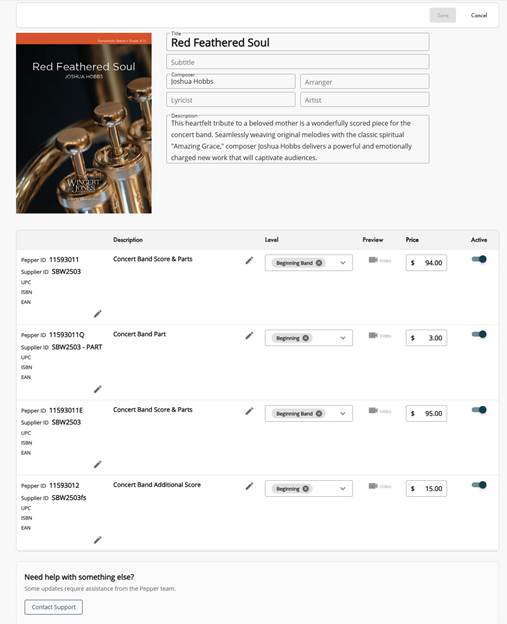
- This will bring you to your product metadata page
- On this page you can edit most of the fields affiliated with your product.
- Click Save in the upper right corner.
- Confirm or cancel to approve your changes
- Your change will be live on your product within 24-48 hours.
Was this article helpful?
That’s Great!
Thank you for your feedback
Sorry! We couldn't be helpful
Thank you for your feedback
Feedback sent
We appreciate your effort and will try to fix the article