Important: Modifying assets here will update every item on this product.
- Navigate to your Catalog Page
- Locate the item you would like to update in your catalog
- Select the Edit button in the upper right corner

- Directly under the primary product details you will see buttons for Cover, Audio, and Score Preview.
- Select the asset you would like to update.
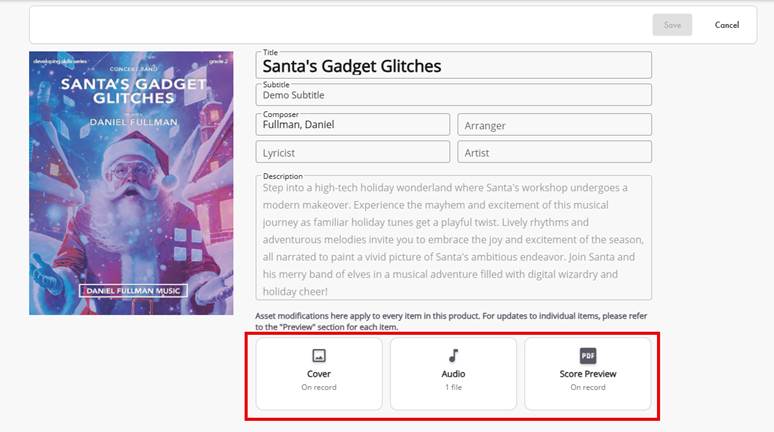
- A new window will open.
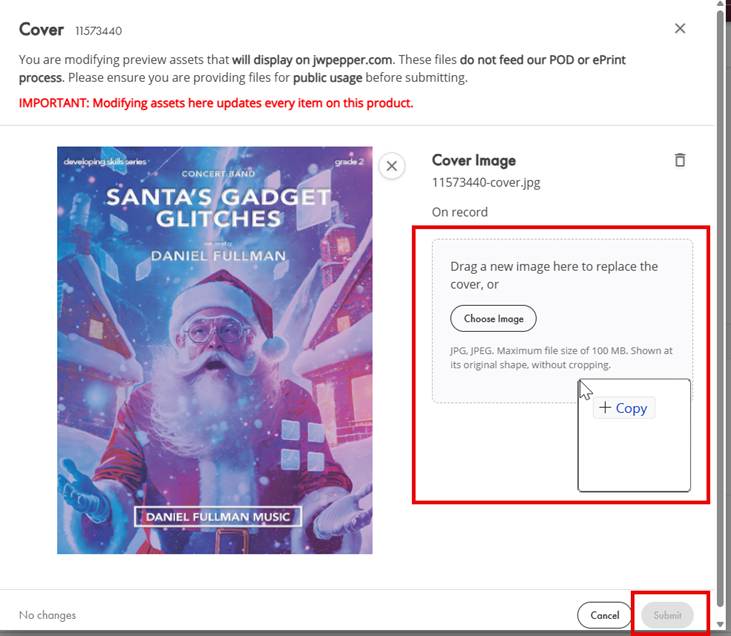
For Cover and Score Preview:
- Drag and drop your file into the upload area or select Choose Image or Choose PDF to select from a destination point on your computer.
- Only one file can be uploaded for Cover and Score Preview
For Audio:
- Select Add Files
- Select the destination point where your audio files are stored on your computer.
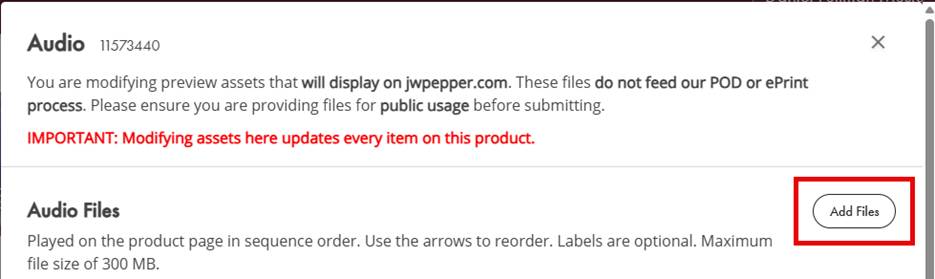
- Select one or more MP3 files and open.
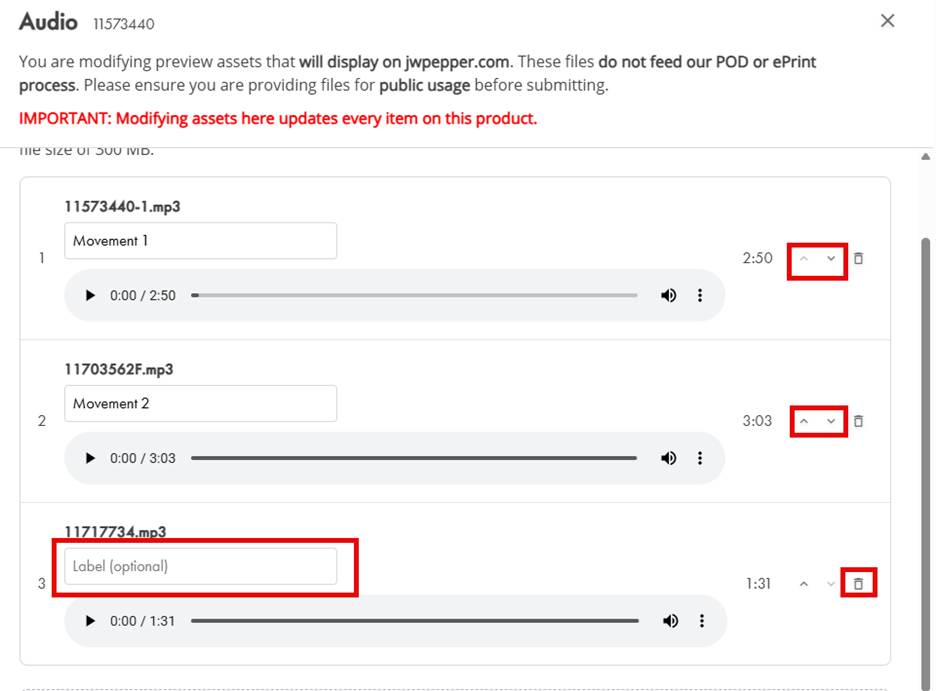
On the audio page you have the ability to:
- Add a label to each audio file.
- Click into Label field and enter label.
- Adjust the order of your tracks.
- Click the up or down arrows to the right of the track.
- Delete unwanted tracks.
- Click the trashcan to the right of the track.
- Confirm your deletion.
- Select Submit once your file has been uploaded.

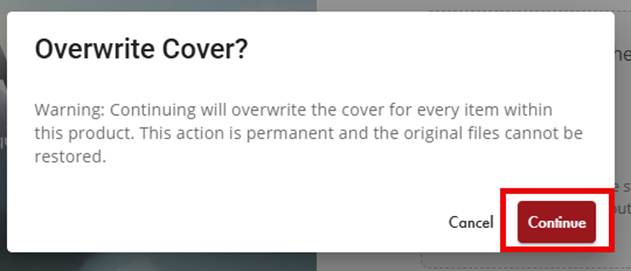
An overwrite confirmation will appear:
- Select Continue to proceed to overwrite the asset you have replaced for all products listed in this group. We cannot recover the previous assets once this has been completed.
Was this article helpful?
That’s Great!
Thank you for your feedback
Sorry! We couldn't be helpful
Thank you for your feedback
Feedback sent
We appreciate your effort and will try to fix the article