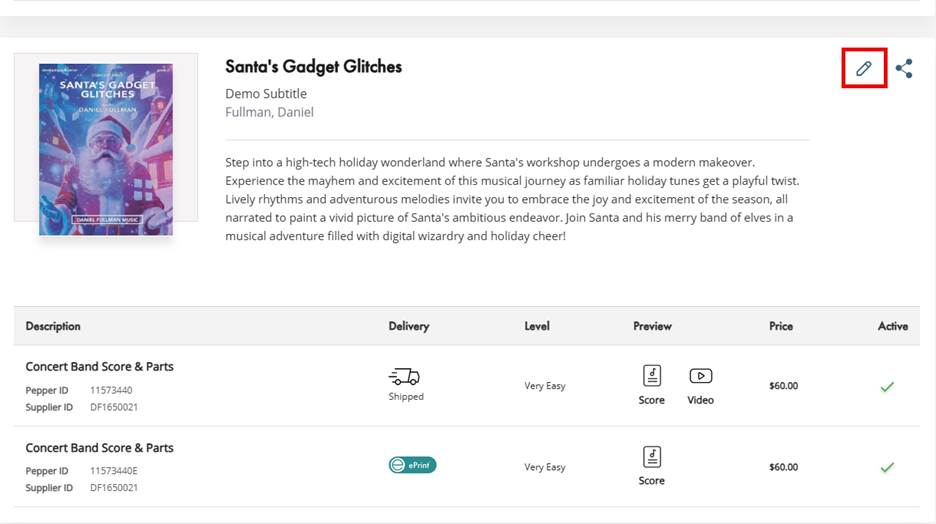
- Navigate to your Catalog Page
- Locate the item you would like to update in your catalog
- Select the Edit button in the upper right corner
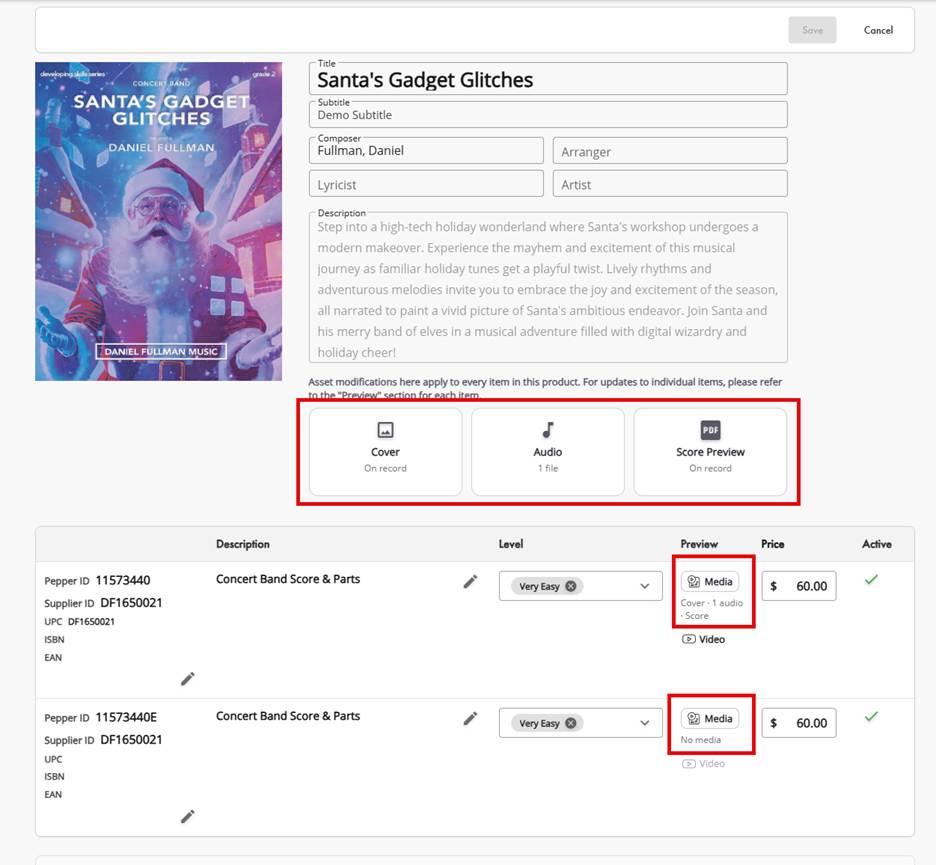
- Select the asset type you would like to update
- Asset types selected under the product description apply to the entire product group.
- Choose Media on under preview on the individual item line to update your items assets.
Was this article helpful?
That’s Great!
Thank you for your feedback
Sorry! We couldn't be helpful
Thank you for your feedback
Feedback sent
We appreciate your effort and will try to fix the article